
When to Use AI in Your Workflows (And When Not To)
AI isn't a replacement for workflow automation - it's a specialized tool that works best in specific scenarios. Learn when to use AI in your workflows, how to test and validate AI outputs, and when traditional automation is the smarter choice.
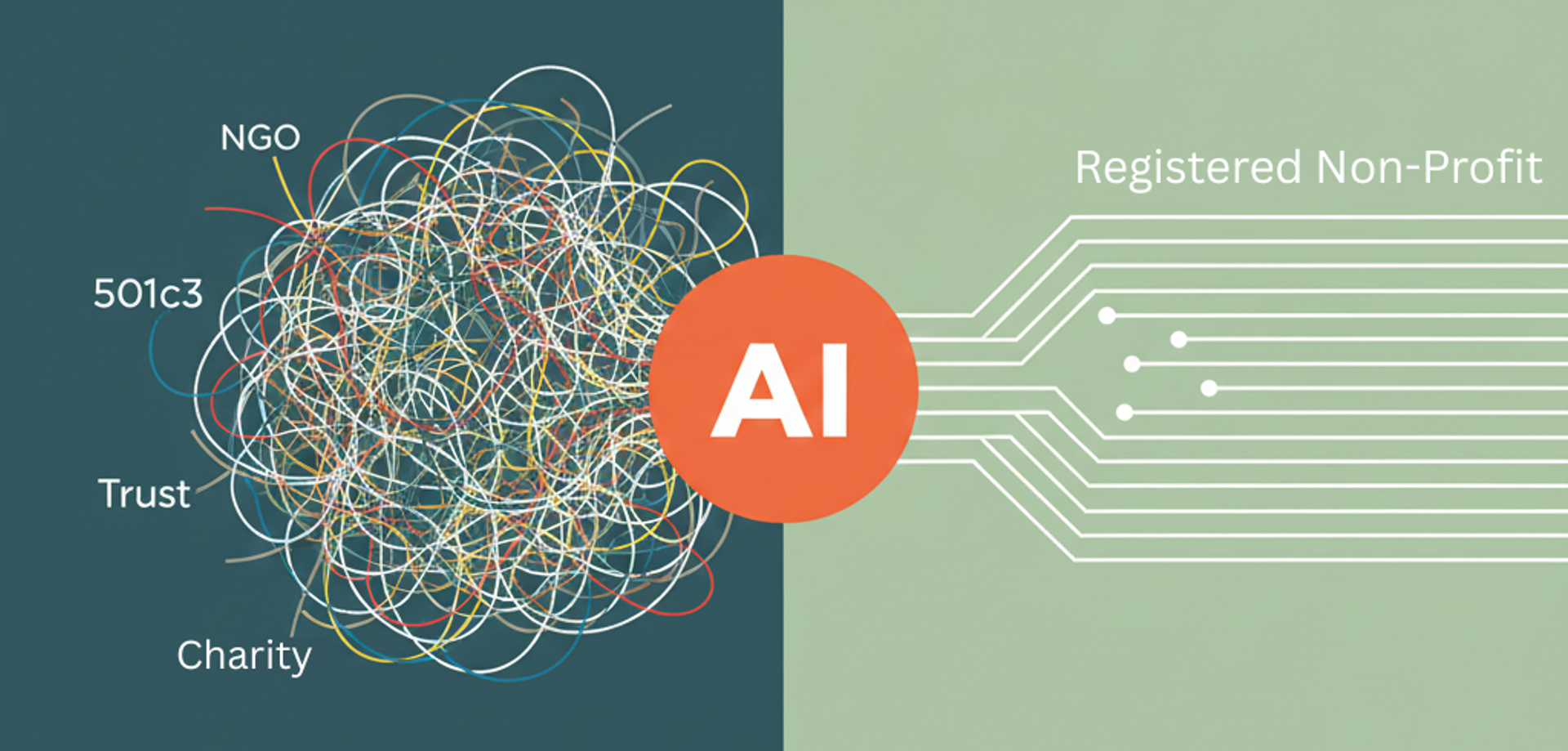
Artificial intelligence has entered the workflow automation space, and while the possibilities seem endless, knowing when and how to use AI in your workflows is critical. At OpenFn, we've learned that AI isn't a replacement for automation, it's a specialized tool that works best in specific scenarios.
Think of workflow automation as a well-oiled assembly line. Traditional workflows follow predictable, repeatable steps: when X happens, do Y. But what happens when your data is messy, inconsistent, or requires judgment calls? That's where AI can help.
This post will help you understand two fundamentally different ways AI can be used with OpenFn workflows: build-time AI (getting help writing your workflows) and run-time AI (using AI as part of your automated processes). Each approach has distinct advantages and risks, and knowing the difference will help you build more reliable, cost-effective workflows.
Want to see the difference in action? Watch our founder Taylor Downs demonstrate both build-time and runtime AI on the OpenFn platform in under 5 minutes:
When (and How) to Use AI in OpenFn Workflows
Let’s break it down. At OpenFn, we distinguish between build-time AI and run-time AI.
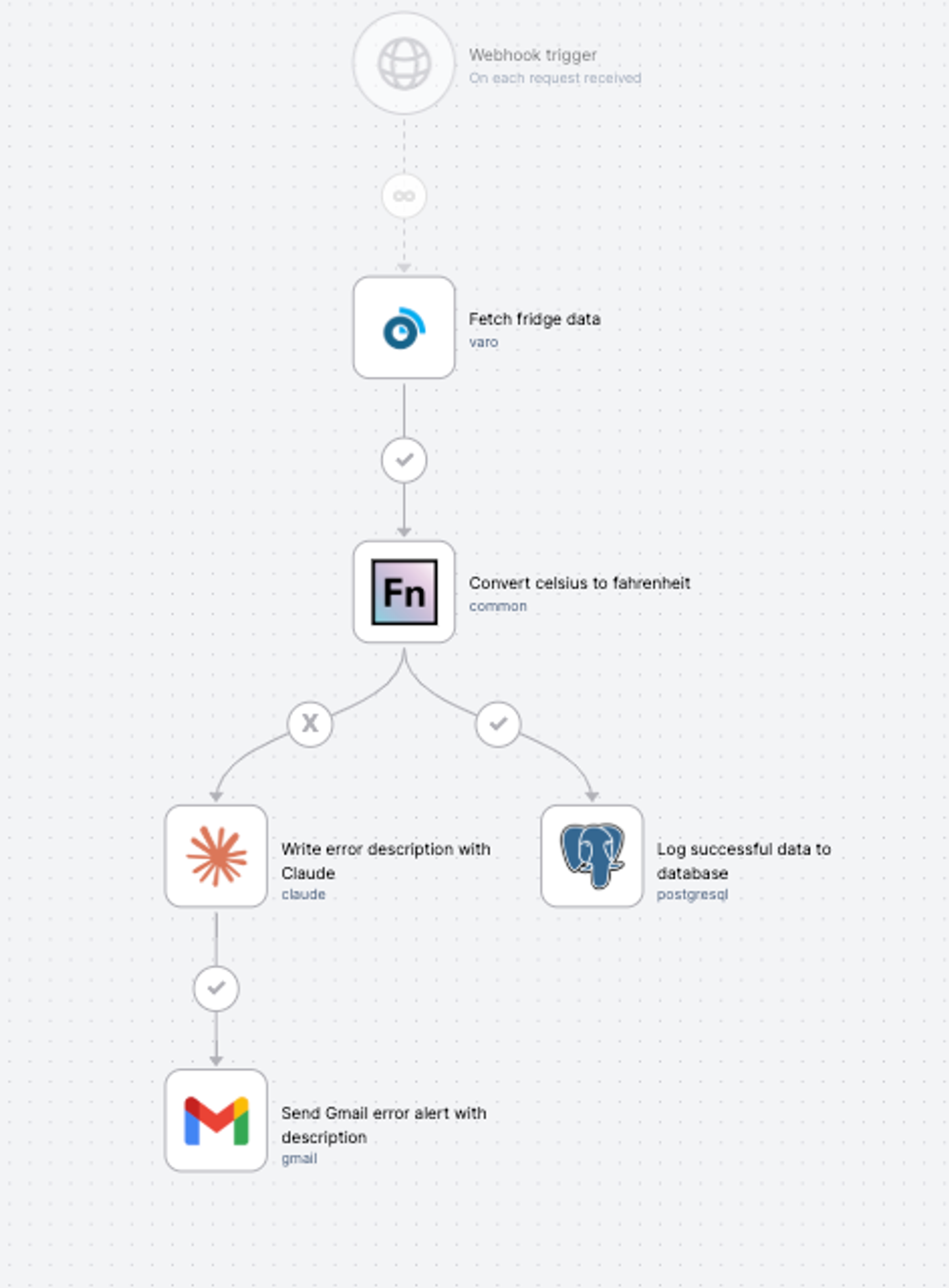
Run-time AI is when you ask a model to do something and use the result directly within an automated workflow – for example, in one OpenFn Step you might ask an AI model to “Calculate 15 degrees Celsius in Fahrenheit,” and then use the value it gives you in your workflow.
Build-time AI is when you ask for something that helps you build – for example, “Give me a function to convert Celsius to Fahrenheit,” and then use the suggested code to create your workflow.
Neither approach is inherently good or bad, but each comes with its own risks and benefits. Those differences will help determine whether the approach is appropriate for the problem at hand.
Deterministic systems give you the same result every time for the same input.
Example: A calculator always returns 4 when you enter 2+2.
Probabilistic systems (like AI) can give different results even with the same input, because they're making educated guesses based on patterns.
Example: Ask an AI "What's 2+2?" and it will probably say 4, but it's not guaranteed.
Example: Bad Use of AI in a Workflow [run-time]
Imagine you're building a payment workflow that needs to calculate a 15% service fee on every transaction. You could ask an AI, 'What is 15% of $100?' but this is risky. AI models aren't calculators, they're probabilistic systems. Sometimes they'll get the math right. Sometimes they won't. For tasks with clear, repeatable logic, use traditional code.
Example Good use of AI in a Workflow [run-time]
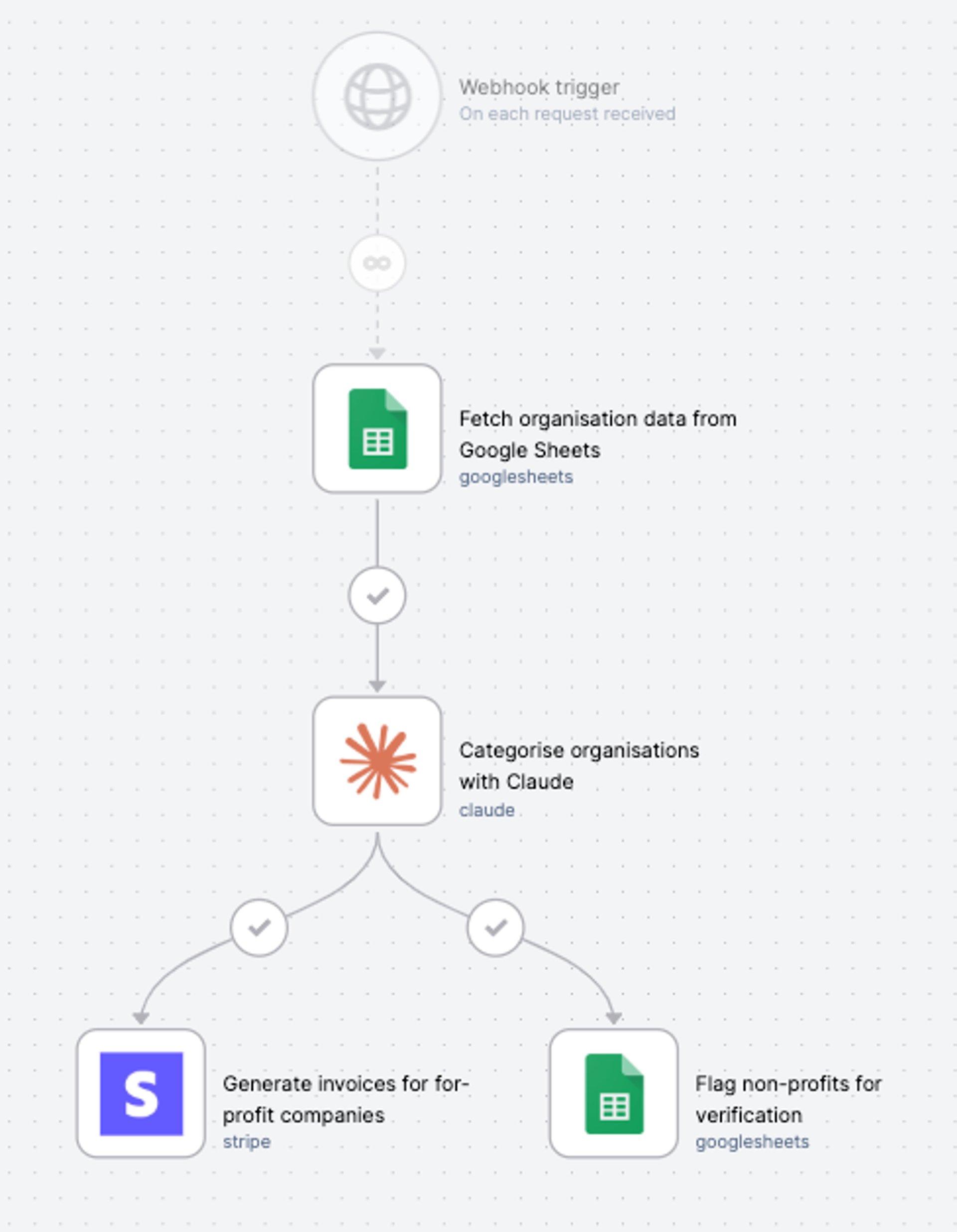
Now imagine that same workflow needs to determine whether the fee applies. Your terms say "waive fees for registered nonprofits," but organisations have described themselves as "NGO", "charitable trust", "501c3", "shirika la jamii", etc. AI can interpret these variations and flag likely nonprofits for review, which would require constantly updating keyword lists with traditional code. In this instance, it’s highly valuable to use an AI model.
Problems with Run-Time AI (AI in Your Workflow)
If you can solve a problem with a deterministic system, like a simple function, then you probably should.
With the Celsius-to-Fahrenheit example, this is a risky task for AI. An LLM (Large Language Model) can’t inherently do arithmetic, and even if it explains the process, it’s only offering a plausible explanation.
This is why you can’t replace automation with an AI model. A model serves as a tool, and sometimes it’s simply the wrong type of tool.
But what if your workflow has incredibly messy inputs, and it’s difficult to extract the numbers for a calculation?
Then AI could be helpful – for example, in extracting the numbers before running a conversion calculation, or even drafting an email alert for the workflow admin to help identify and fix the issue quickly.
In some cases, a probabilistic AI-based output (AI-generated results that may differ each time) can actually be safer than a deterministic system, such as when analysing unexpected error logs or detecting objects on the road for a self-driving car. In those scenarios, we need the flexibility of AI to interpret uncertain or complex inputs.
AI Outputs Can Vary: Testing, Reliability, and Cost
Testing and reliability are key challenges when dealing with non-deterministic, AI-generated outputs. If you have determined that AI is the right solution for your workflow, here are a few ways to manage them:
- Test datasets: How do you know it’s working?Collect examples to evaluate how well the AI performs. In a recent project, we tested AI against real examples where we already knew the right answer, measuring how often it got things correct. [link to Hunter’s blog post https://community.openfn.org/t/a-practical-guide-to-prompt-engineering-lessons-from-a-controlled-challenge/1109] For more open-ended tasks, you can use human or AI-assisted evaluation of test outputs, or even continuous evaluation workflows that sample AI outputs in production. [see our post on evaluation techniques for LLMs https://community.openfn.org/t/weekly-ai-post-testing-ai-systems/752]
- Cost: What will this actually cost you?The costs of running a workflow that leverages AI can be surprising. Evaluating run-time costs is essential, especially when using agent APIs with no direct cost limits, such as the ChatGPT Deep Research API. A test dataset – even one containing entirely generated, fake data – can help estimate the cost of 1,000 runs, or the expected monthly spend.
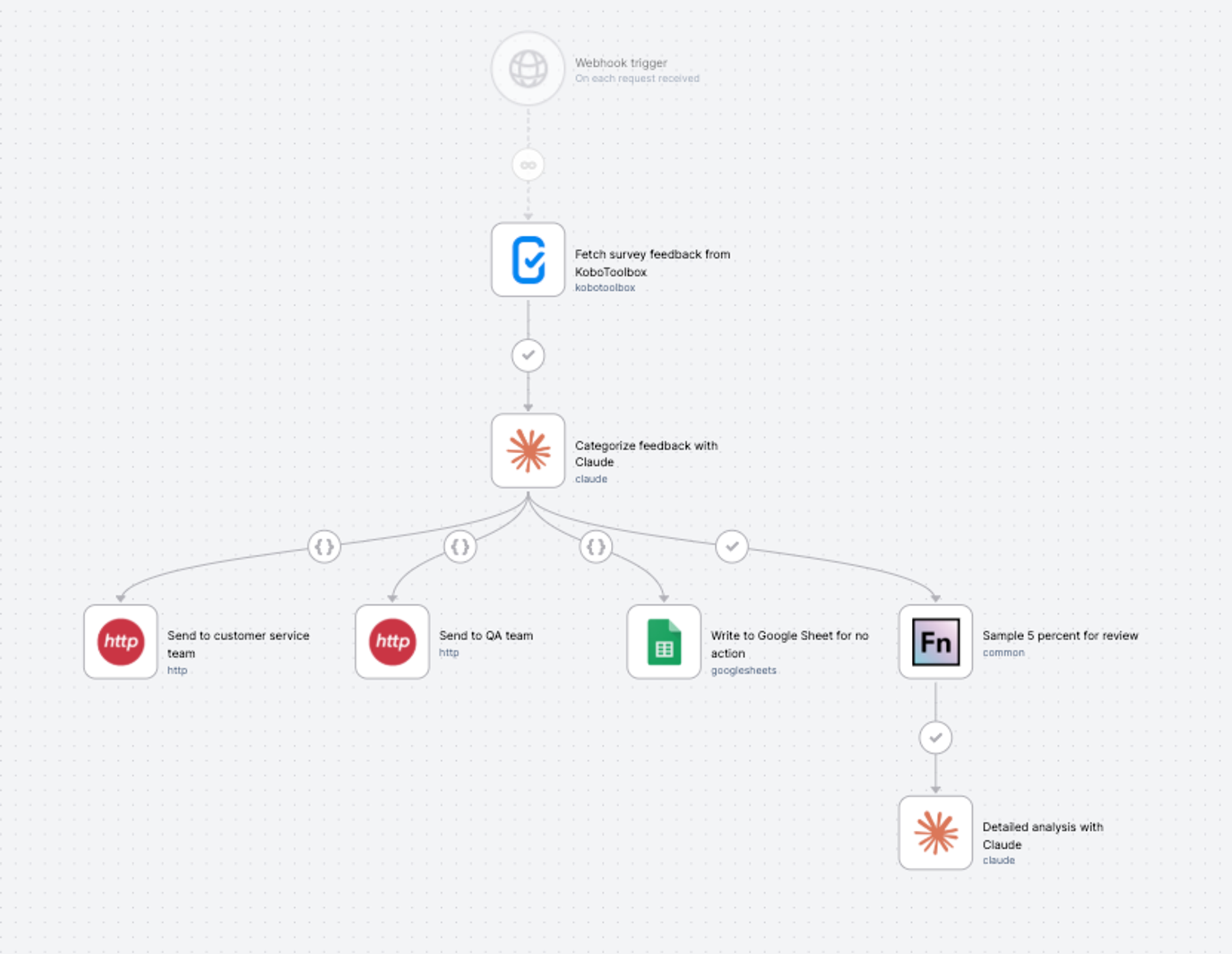
- Triage: Handling easy cases vs hard casesUse AI for the easy cases, and direct human effort to the difficult ones. A concrete way we’ve implemented this was by adding confidence scores to AI outputs, so that human effort could be directed to the harder cases first. [link to Hunter’s blog post https://community.openfn.org/t/a-practical-guide-to-prompt-engineering-lessons-from-a-controlled-challenge/1109]
- Validation steps: Protecting your workflow from bad inputsAdd validation around AI jobs in workflows. Are the inputs valid and free from prompt injections or offensive content? Does the output contain the required data fields, and is the text appropriate for its intended use?
Making Smart Choices About AI in Your Workflows
AI is a powerful addition to workflow automation, but it's not appropriate for every task. The key is understanding what type of problem you're solving.
Use AI in your workflows (run-time) when:
- Your input data is unpredictable or highly variable
- You need to interpret complex, unstructured information
- Traditional programming logic is too rigid for the problem
- You have systems in place to validate and monitor AI outputs
Avoid AI in your workflows when:
- The task has a deterministic solution (like calculations or data transformations)
- Consistency and exact reproducibility are critical
- You need guaranteed outputs every time
- Cost per run is a major constraint
As you experiment with AI in OpenFn workflows, remember that testing, validation, and cost management aren't optional. They're essential practices that separate experimental projects from production-ready systems.
Ready to explore AI in your workflows? Check out OpenFn's AI Assistant to get help building workflows faster, or visit our documentation to learn more about integrating AI capabilities responsibly. If you're working on a complex use case and want guidance on the right approach, book a consultation with our team.

Written by
Hanna Paasivirta